 V-Range Spotter
Testscheibe
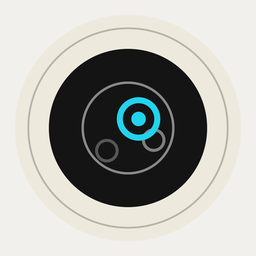
Spotter ohne Schießstand ausprobieren: Zeig diese Scheibe im Vollbild auf einem Laptop oder Monitor und richte das iPhone darauf.
- „Testscheibe öffnen“ tippen oder klicken; die Seite geht ins Vollbild.
- Das iPhone ruhig hinstellen, 40–60 cm vor dem Bildschirm, die Scheibe ganz im Bild.
- In Spotter „Pistole 25/50 m“ und „9 mm“ wählen, wie hier voreingestellt, und Start tippen, sobald „Scheibe erkannt“ erscheint.
- Mit „Schuss“ oder der Leertaste ein Loch setzen, etwa alle 5 Sekunden (oder „Automatisch“). Spotter markiert das neue Loch nach etwa einer Sekunde.
Die Scheibe ist eine Simulation, wie durch ein Spektiv gesehen. Ein Bildschirm flimmert und zeigt Moiré; echtes Papier am Stand sieht anders aus. Nichts verlässt deinen Browser.
In English
Try Spotter without a shooting range: show this target full screen on a laptop or monitor and point the iPhone at it.
- Tap or click “Open test target”; the page goes full screen.
- Stand the iPhone still, 40–60 cm (16–24 in) in front of the screen, with the whole target in view.
- In Spotter choose “Pistol 25/50 m” and “9 mm”, as preset here, and tap Start once “Target found” appears.
- Add a hole with “Shot” or the space bar, about every 5 seconds (or “Automatic”). Spotter marks the new hole after about a second.
The target is a simulation, as seen through a spotting scope. A screen flickers and shows moiré; real paper at the range looks different. Nothing leaves your browser.